
How to Clean a Keyboard with a Cordless Air Duster
By the FRESMOL team · October 13, 2026
Why keyboards get dirty
Crumbs, skin cells, hair and dust collect between and under the keys. Over time this can make keys feel gritty or stick. A regular blow-out keeps your keyboard feeling new and prevents buildup that is harder to remove later.
What you need
- A cordless air duster such as the FRESMOL Cordless Air Duster
- The flat crevice nozzle and a soft brush (both included)
- A microfiber cloth
- Optional: a keycap puller for mechanical keyboards
Step 1: Power off and unplug
Disconnect a USB keyboard or switch off a wireless one. For a laptop, shut it down and unplug the charger before you start.
Step 2: Tilt the keyboard
Hold the keyboard at an angle, or turn it nearly upside down over a table. Tilting lets loose debris fall out instead of being pushed deeper.
Step 3: Choose the nozzle and speed
Fit the flat crevice nozzle and select speed 2 (75,000 RPM), which suits most keyboards. Use speed 1 (50,000 RPM) if you are working near sensitive parts, and speed 3 only for stubborn debris on a sturdy desktop keyboard.
Step 4: Work in rows
Start at the top row and move the nozzle across the keys in slow passes, a few centimeters away. Work row by row so dust moves in one direction. Switch on the LED light to see dust in the gaps between keycaps.
Step 5: Brush and repeat
Use the soft brush to loosen sticky or compacted dust, then blow again. For mechanical keyboards, pull keycaps with a puller, blow out the switches and plate, and clean each keycap separately.
Step 6: Wipe and dry
Finish by wiping the keys and case with a slightly damp microfiber cloth. Do not spray liquid directly on the keyboard. Let it dry fully before reconnecting.
How often should you clean?
A quick blow-out every month or two is enough for most people. Clean more often if you eat at your desk or have pets.
Mistakes to avoid
- Cleaning while powered on
- Using a very high speed on a thin laptop keyboard
- Holding the nozzle against the keys
- Using liquid cleaners without wiping them off carefully
Other uses
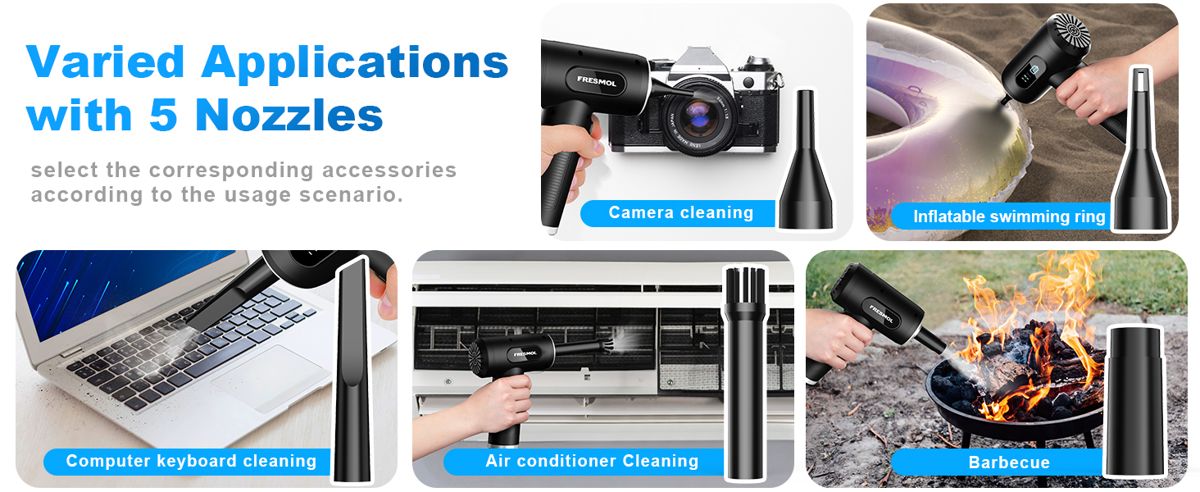
The same tool handles game controllers, speakers, camera bodies, PC cases, car vents and air conditioner filters, so one purchase covers the whole household.
FRESMOL Cordless Air Duster
3 speeds, LED light, 8 attachments and a USB-C rechargeable battery. $39.99 with free worldwide shipping.
Related: Air Duster vs Canned Air: Which Is Better? · How to Clean a PC and Its Fans with an Electric Air Duster